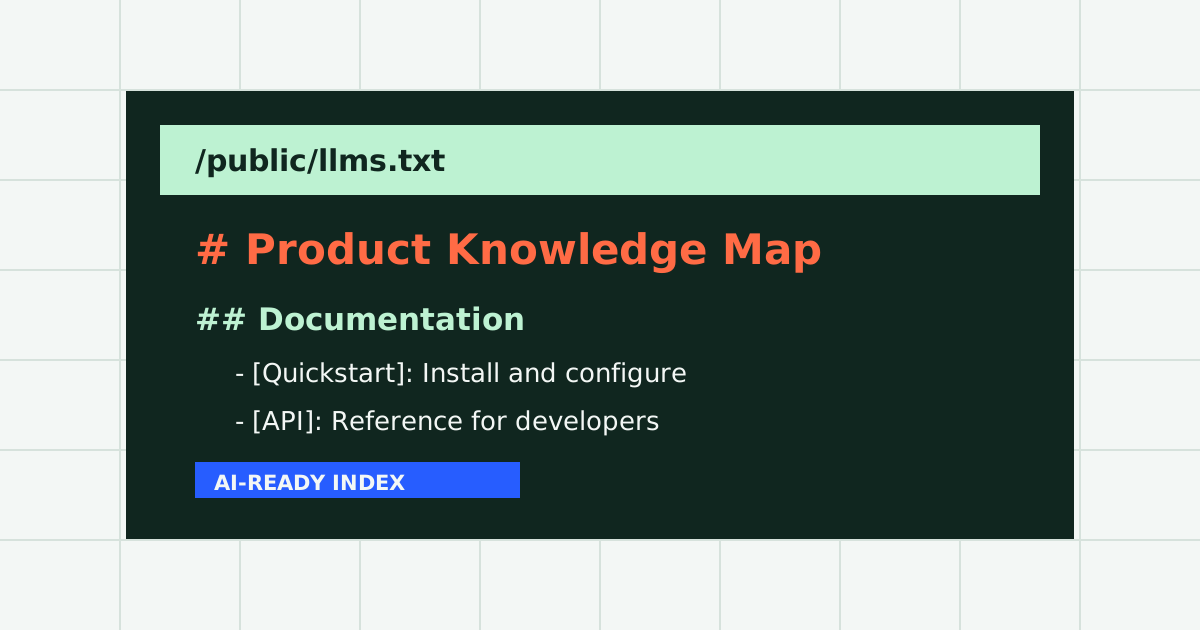
An llms.txt file is a standardized Markdown document placed at the root of a web domain to give artificial intelligence systems a curated roadmap of a website. Instead of forcing language models to guess what matters from a massive XML sitemap or parse megabytes of raw HTML, you provide a clear index of your highest-value pages, grouped by category, with factual descriptions explaining why each link is valuable.
Whether you run a SaaS company, an e-commerce store, a technical documentation library, or a content publication, publishing an llms.txt file ensures that AI search engines like Perplexity, ChatGPT Search, Claude, and Google AI Overviews represent your content accurately and cite your pages directly.
You can create your first draft in under a minute using our free llms.txt generator, which crawls your sitemap, groups pages logically, and prepares human-editable descriptions.
Why AI Systems Need a Curated Website Index
Modern web architecture was designed for human eyeballs navigating visual graphical browsers. Over the past decade, websites have accumulated significant code overhead: client-side JavaScript frameworks, responsive CSS stylesheets, tag managers, third-party analytics trackers, advertising banners, and cookie consent modals.
When a human visits a website, their web browser renders this code into an interactive user interface. However, when an autonomous AI agent or crawler (such as GPTBot, ClaudeBot, or PerplexityBot) encounters a webpage, it must parse raw text streams within strict context window constraints.
Processing raw website HTML wastes precious model tokens on navigational menus, footer copyright notices, and styling code. Furthermore, standard XML sitemaps do not solve this problem: while an XML sitemap lists URLs, it contains zero descriptive context. An AI system reading an XML sitemap cannot determine whether /pricing or /features contains the specific answer to a user question.
The llms.txt proposal was introduced to bridge this gap. Championed by Jeremy Howard and Answer.ai at llmstxt.org, the format provides a lightweight, human-readable plain text file hosted at https://yourdomain.com/llms.txt. It functions as an editorial table of contents for language models, indicating which pages to read first, what each page covers, and who should read it.
The Anatomy of an LLMs.txt File: Specification Breakdown
The llms.txt standard uses plain Markdown syntax with minimal structural rules. To remain fully compliant with the specification, every file must include specific components arranged in a predictable hierarchy:
1. Single Top-Level H1 Header
The document must begin with exactly one H1 header stating the project, organization, or website name. Multiple H1 tags violate the specification and cause parsing collisions in automated linters.
# Acme Cloud Infrastructure2. Blockquote Mission Statement
Directly beneath the H1 title, include a blockquote (>) containing a concise, 1 to 2 sentence summary of what your business or project does. This serves as the elevator pitch that grounds the AI model before it evaluates individual URLs.
> Acme Cloud Infrastructure provides serverless edge computing, distributed storage, and instant database branching for web developers.3. Introductory Overview
Following the blockquote, you can include one or two paragraphs of high-level context explaining who the product is for, supported platforms, or core technical capabilities.
4. Categorized H2 Sections
Organize your website into logical sections using H2 headings (##). Common category names include Core, Products, Documentation, Tutorials, API Reference, Company, and Support. Avoid vague names like “Resources” or “Links” that fail to describe page content.
5. Markdown Link Lists with Descriptions
Under each H2 heading, format links as standard Markdown list items followed by a colon and a factual one-sentence description:
## Core Documentation

- [Quickstart Guide](https://example.com/docs/quickstart): Step-by-step setup instructions for deploying your first edge function.
- [API Authentication](https://example.com/docs/auth): Bearer token generation, OAuth workflows, and security best practices.
- [Pricing and Quotas](https://example.com/pricing): Compute hour rates, bandwidth limits, and enterprise volume discounts.
6. The Reserved Optional Section
The specification defines a specially designated section titled ## Optional. This section is reserved for secondary links that an AI assistant can skip when context window space is constrained, such as privacy policies, terms of service, system status pages, or historical changelogs.
## Optional

- [Privacy Policy](https://example.com/privacy): Data protection guarantees and GDPR compliance details.
- [System Status](https://example.com/status): Real-time API uptime metrics and latency reports.
llms.txt vs Robots.txt vs Sitemap.xml: Key Differences
It is common for site owners to wonder if llms.txt replaces existing search engine protocols. It does not. The three standards operate in harmony to address distinct web consumers:
| Standard | File Location | Primary Audience | Core Function |
|---|---|---|---|
| robots.txt | /robots.txt | All web spiders & crawlers | Specifies crawl permissions, access rules, and disallow paths. |
| sitemap.xml | /sitemap.xml | Search engines (Googlebot, Bingbot) | Comprehensive inventory of all indexable canonical URLs on a site. |
| llms.txt | /llms.txt | Language models & AI retrieval agents | Curated, human-edited index of high-value pages with descriptive summaries. |
A standard XML sitemap prioritizes completeness: it lists every blog post, product variant, category archive, and landing page. In contrast, llms.txt prioritizes signal over noise. A typical llms.txt file contains between 15 and 80 prioritized links representing the core knowledge base of the website.
Real-World Code Examples by Industry
To help you visualize how a standard knowledge file looks in production, here are realistic examples for different website types:
Example 1: SaaS Developer Platform
# HyperScale Data

> HyperScale Data is an open-source real-time event streaming platform built for high-throughput analytics pipelines.

HyperScale Data ingests millions of events per second with sub-millisecond latency. Use the links below to explore our client libraries, deployment guides, and architectural benchmarks.

## Developer Quickstart

- [Five-Minute Onboarding](https://hyperscale.dev/docs/start): Install our CLI, authenticate your cluster, and publish your first topic.
- [Docker Compose Guide](https://hyperscale.dev/docs/docker): Local development setup with multi-broker cluster simulation.

## Client Libraries

- [Go SDK](https://hyperscale.dev/sdk/go): High-performance consumer and producer implementations for Go applications.
- [Python Asyncio Client](https://hyperscale.dev/sdk/python): Asyncio event listener with automated batch buffering.

## Optional

- [Architecture Whitepaper](https://hyperscale.dev/papers/v2): Detailed design of the distributed consensus protocol.
- [Security Audits](https://hyperscale.dev/security): Third-party penetration testing reports and SOC2 certifications.
Example 2: E-Commerce Store (Shopify or WooCommerce)
# Artisan Roast Coffee

> Artisan Roast Coffee sources direct-trade specialty single-origin coffees roasted weekly in small batches.

We ship freshly roasted beans across the globe. Use this guide to explore our coffee origins, subscription models, grind recommendations, and brewing tutorials.

## Coffee Collections

- [Single-Origin Roasts](https://artisanroast.com/collections/single-origin): Ethiopian Yirgacheffe, Colombian Geisha, and Guatemalan washed coffees.
- [Espresso Blends](https://artisanroast.com/collections/espresso): Balanced chocolate and caramel profiles crafted for home espresso machines.
- [Monthly Subscriptions](https://artisanroast.com/subscribe): Flexible delivery frequencies with curated roaster picks.

## Brewing Equipment & Guides

- [Pourover Brewing Guide](https://artisanroast.com/guides/pourover): Grind sizes, water ratios, and pouring techniques for V60 drippers.
- [Espresso Dial-In Tutorial](https://artisanroast.com/guides/espresso): Adjusting brew temperature and dose for optimal extraction.

## Optional

- [Shipping and Returns Policy](https://artisanroast.com/policies/shipping): International delivery rates and delivery transit timelines.
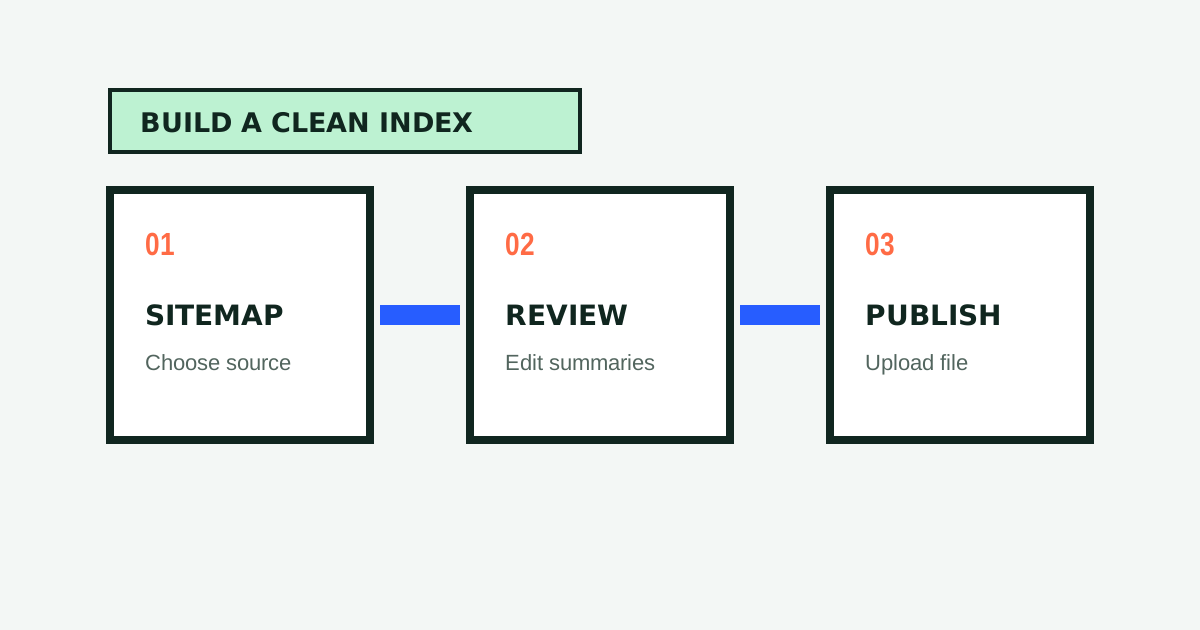
How to Create Your LLMs.txt File in 3 Steps
Writing an llms.txt file by hand for a site with dozens of URLs can be time-consuming. You can automate the heavy lifting with our free tools:
-
Scan Your Website with the Free LLMs.txt Generator
Navigate to our free llms.txt generator. Paste your XML sitemap URL (such ashttps://yourdomain.com/sitemap.xml) or homepage address. Our edge engine crawls the highest-signal pages, strips HTML noise, and automatically generates factual descriptions. -
Review and Edit in the Browser
Inspect the live preview in our interactive editor. Ensure your category names are intuitive, remove pages that are irrelevant to AI systems, and refine descriptions to match your brand voice. -
Verify Compliance with the Validator
Before uploading your file, run it through our llms.txt validator. The validator checks your file against the officialllmstxt.orgspecification, tests link integrity, and calculates an AI Readiness Score out of 100 with prioritized fixes. -
Upload to Your Site Root
Download the finalized plain text file and publish it athttps://yourdomain.com/llms.txt.
When to Use LLMs.txt vs LLMs-Full.txt
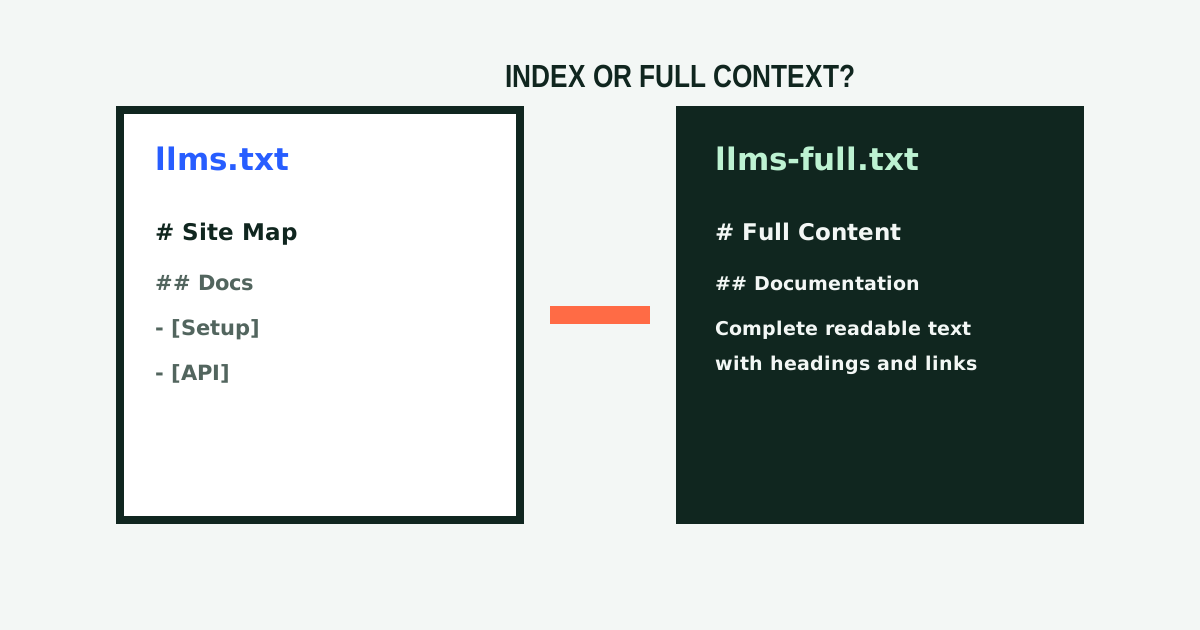
While an llms.txt file serves as an index, some AI workflows require the complete textual content of key pages. For those scenarios, the companion specification defines llms-full.txt.
Use llms.txt when:
- You want AI search engines to discover and cite your site efficiently.
- You want to guide AI models through your information hierarchy.
- You need a lightweight file that downloads instantly in browser sessions.
Use llms-full.txt when:
- You are feeding your documentation into a private RAG pipeline, Claude Project, or Custom GPT.
- You want developer tools (like Cursor or Windsurf) to ingest your entire API reference without making individual web requests.
- You can generate this consolidated document using our free llms-full.txt generator.
Summary: Future-Proof Your Website for AI Search
The way people discover information on the internet is undergoing a permanent transformation. As traditional search engine results pages give way to synthesized conversational answers, publishing machine-readable documentation is becoming as fundamental as publishing an XML sitemap.
By implementing an llms.txt file today, you make it easy for AI models to understand your products, cite your tutorials, and direct qualified traffic to your business.
Ready to build your file? Open our free llms.txt generator to create, validate, and download your standard AI knowledge file in minutes.

Written by
Lucky Labs Editorial
The Lucky Labs Editorial team researches practical ways to make websites easier for people, search engines, and AI systems to understand.
Keep Reading
Related Guides
How to Create an llms.txt File in 2026: Step-by-Step Guide
Learn how to create an llms.txt file in 5 easy steps. Boost your AI visibility, optimize for search engines, and generate standard Markdown files for free.
llms.txt vs. llms-full.txt: Architecture, Performance, & Use Cases
Detailed architectural comparison between llms.txt and llms-full.txt. Learn token economics, crawler handling, RAG workflows, and dual-file deployment strategies.