Skip to Main Content
llms.txt/generator
Free AI-Ready Websites

Free LLMs.txt Generator

Create an official llms.txt file from real page content, generate a complete knowledge file, or check the file you already have: all online, with no signup required.

Choose a Free Tool

No account · No paywall · Edit before download

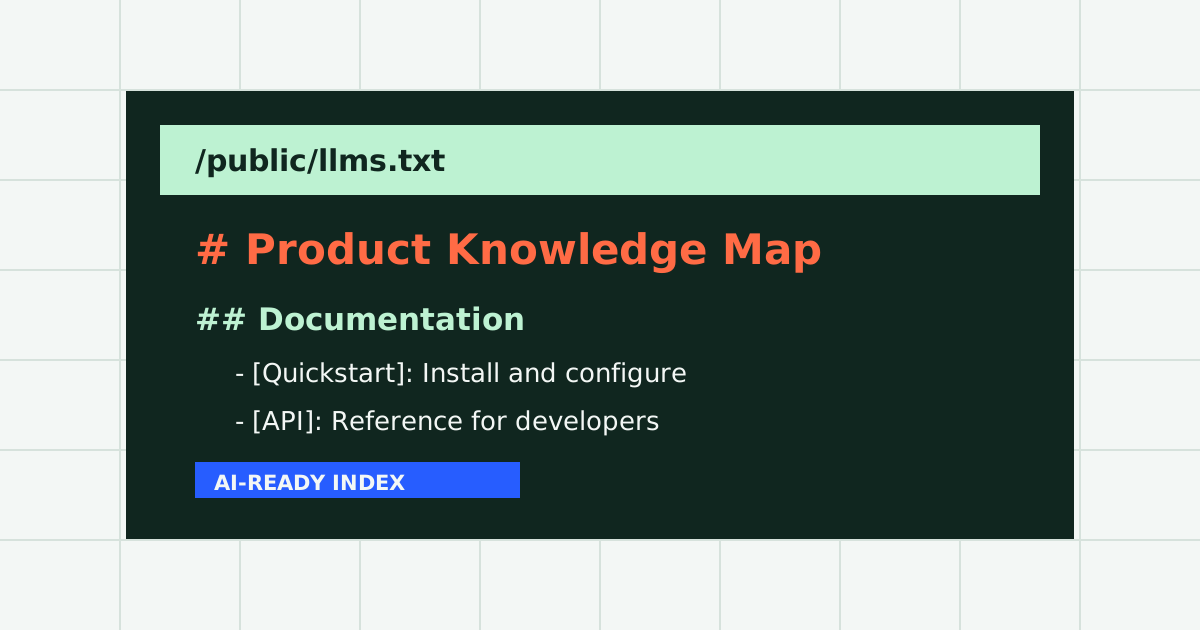
/public/llms.txtlive preview

# Acme Knowledge Map

> Built from the pages people and AI systems actually need.

## Product

- [Platform](/product): Automates…

- [Pricing](/pricing): Compares…

## Documentation

- [Quickstart](/docs): Installs…

Editable before download_

How the LLMs.txt Generator Works

Scrape the Page

Real Content In

Built for accurate page extraction, not a templated meta-description dump.

Understand the Page

Useful Summaries Out

AI summaries explain what each page contains and who should read it.

Stay in Control

Edit Before Saving

Review live output, make changes, then copy or download for free.

Built for Signal, Not Noise

Smarter Categories for Every LLM Sitemap

A flat URL list makes an AI system guess. The generator separates core pages, products, documentation, articles, support, company information, and legal resources so the finished file is faster to scan and easier to use.

Core
Product
Docs
Blog
Support
Examples
Company
Legal

Index File

What This LLMs.txt File Generator Creates

This online llms.txt generator turns a sitemap, homepage, or hand-picked URL list into a clean Markdown index. It crawls the pages you choose, identifies their purpose, groups them into useful sections, and prepares a concise description for every link. That gives AI assistants more context than a bare sitemap while keeping the result small enough to inspect quickly.

You can edit the generated file in your browser before downloading it. The same workspace also links to the free llms.txt validator and AI Readiness Score, which checks structure, missing descriptions, and link quality.

Full Knowledge File

LLMs-Full.txt Generator for Complete Site Content

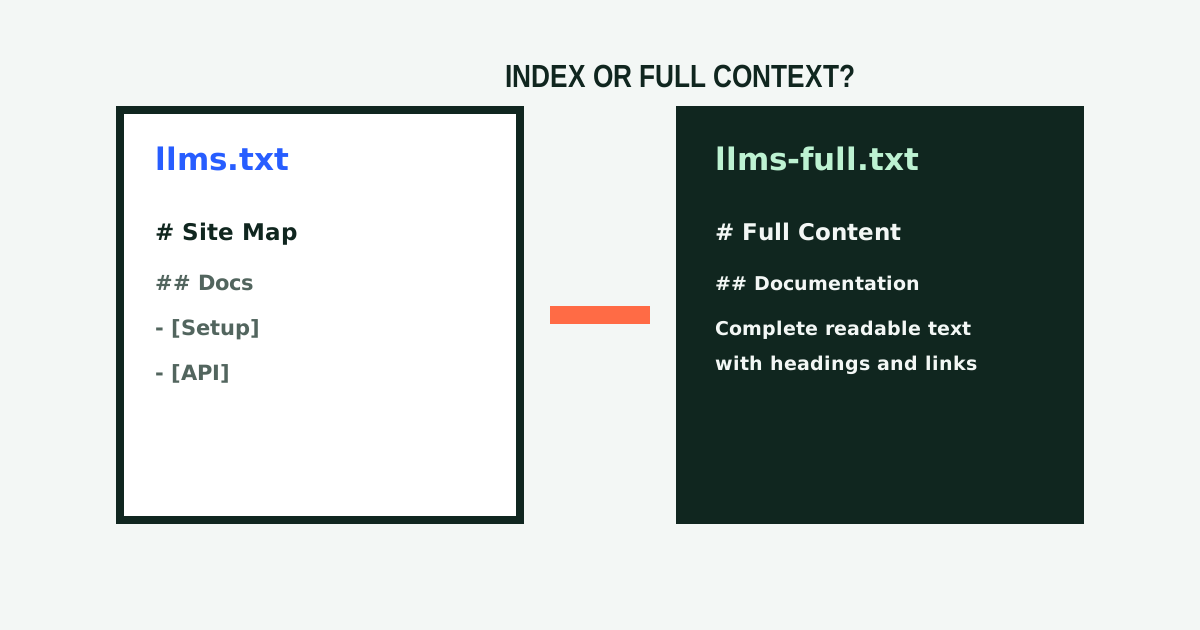
An llms.txt index points to important pages; an llms-full.txt file includes the readable content itself. The free llms-full.txt generator collects selected pages into one structured knowledge file for retrieval, analysis, or direct AI ingestion.

Navigation, repeated page chrome, and other noise can be removed while headings, lists, examples, and source URLs stay organized. Go directly to the full-file tool whenever that is your goal: there is no requirement to generate the smaller index first.

Specification Guide

What Is LLMs.txt? The Specification Explained

llms.txt is a human-readable Markdown file that gives language models a curated map of a website. The community proposal published at llmstxt.org places the file at /llms.txt. Its only required element is one H1 containing the site or project name.

The specification then allows a blockquote summary, additional context, and H2 sections containing Markdown link lists. Each link may include a short description after a colon. A specially named “Optional” section can hold secondary resources that an AI system may skip when it needs shorter context.

This file complements rather than replaces robots.txt and sitemap.xml. A sitemap inventories indexable pages for search engines; llms.txt curates the pages and explanations most useful to language models. It is also distinct from adjacent proposals such as .well-known/ai.txt.

3 Simple Steps

How to Generate and Install an LLMs.txt File

You do not need to learn the specification by hand. The tool handles the structure while you keep control of the final wording.

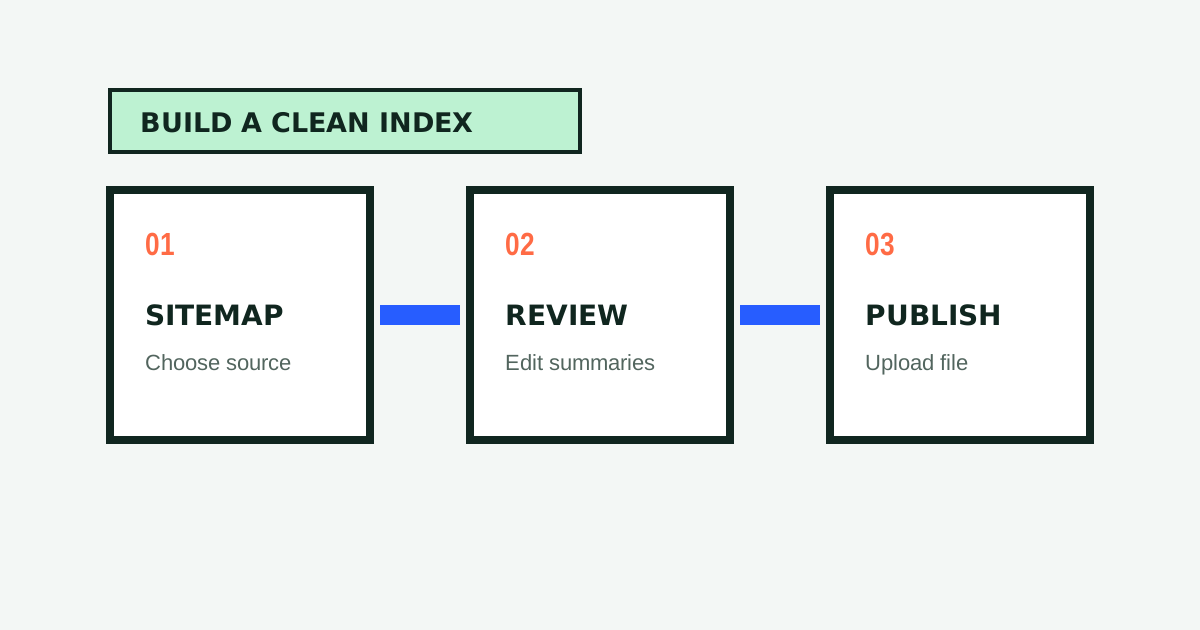
  1. 01

    Choose a Crawl Source

    Paste a sitemap URL, start from your homepage, or enter a focused list of URLs: one per line.

  2. 02

    Generate and Review

    The tool extracts useful page content, organizes pages by purpose, and writes a clear summary for each URL.

  3. 03

    Edit, Download, and Publish

    Adjust the live preview, download the text file, and upload it to the root of your website as /llms.txt.

Generate LLMs.txt for Shopify Products

For Shopify, start with your store’s sitemap to include products, collections, pages, and articles. Use a manual URL list for a smaller catalog, review the product summaries, then serve the finished file from your store’s root through your theme, app proxy, or hosting setup.

Why Use This Free LLMs.txt Generator?

The tool is free, works online, and requires no signup. It is designed to keep the shortest path from URL to editable file: choose an input, generate, review, and download. Both the index and full-content workflow remain available without a paid download gate.

If you are comparing a Firecrawl llms.txt generator workflow or a Writesonic llms.txt generator with a dedicated tool, look beyond URL collection. The goal here is useful page-level summaries, smarter categorization, a live editor, and a validator, rather than templated descriptions copied from metadata.

Web Standard Matrix

Comparing LLMs.txt, Robots.txt, and Sitemap.xml

Understanding how each file at your domain root functions ensures your website is optimized for both traditional search engine crawlers and next-generation neural discovery engines.

Dimensionllms.txtrobots.txtsitemap.xml
Primary AudienceLLMs, AI Search (ChatGPT, Claude, Perplexity)All automated web crawlers and indexersSearch engine bots (Googlebot, Bingbot)
File Location/llms.txt/robots.txt/sitemap.xml
Primary FunctionCurated conceptual map with page-level summariesAccess permissions and crawl rate limitsComprehensive index of all crawlable URLs
FormatStandard MarkdownPlain text key-value directivesStructured XML schema
Typical Size2 KB to 15 KB (20 to 80 URLs)< 2 KB100 KB to 50 MB (Thousands of URLs)

CMS Integration

Platform Deployment Quickstart

Deploying your generated llms.txt file takes less than five minutes regardless of your hosting provider:

01 / WordPress

Web Root

Upload the generated file to /public_html/llms.txt via SFTP, cPanel, or your hosting control panel.

02 / Shopify

CDN Redirect

Upload to Settings > Files, copy the CDN asset link, and create a 301 URL redirect from /llms.txt in Navigation.

03 / Next.js

Public Folder

Drop the file into your repository's public/llms.txt directory. Next.js serves it at domain root on build.

04 / Cloudflare

Pages & Workers

Add to your static build output or configure a Cloudflare Worker route to serve the file with text/markdown headers.

Developer Trust & Transparency

Created by Lucky Yaduvanshi

LLMs.txt Generator was conceived and developed by Lucky Yaduvanshi, an independent web engineer and technical creator operating under the Lucky Labs banner.

Lucky built this platform to ensure that website creators, developers, and publishers have 100% free, unmetered access to machine-readable web tools as artificial intelligence reshapes the mechanics of search discovery.

Explore Lucky's software engineering portfolio, technical guides, and other open-source developer utilities at luckyyaduvanshi.in.

Notice of Digital Operation

No Physical Office Address

Please be advised that LLMs.txt Generator is an independent online digital web service. We do not have or maintain a physical public office address or commercial storefront.

Operating Model: 100% Online Digital Laboratory

Developer: Lucky Yaduvanshi (Portfolio)

Direct Inquiries: hello@llms-txt-generator.in

Response Window: 24 to 48 business hours

Featured Guides

Practical notes on publishing, checking, and improving the knowledge files that help AI systems navigate your site.

Explore All Guides

Common Questions

LLMs.txt Generator FAQ

What is an llms.txt file and where should I publish it?

An llms.txt file is a standardized Markdown document located at the root of your domain (https://yourdomain.com/llms.txt). It provides large language models and autonomous AI agents with a curated map of your website, including structured categories, page links, and one-sentence informational summaries.

How do I use this free llms.txt generator to create my file?

Using this free llms.txt generator requires three simple steps: 1) Paste your XML sitemap URL, enter your homepage address, or provide a custom URL list; 2) Our automated edge crawler fetches your pages, strips boilerplate layout HTML, and uses language models to generate factual summaries; 3) Review and customize the generated Markdown in the live in-browser editor, then copy or download your file for free with no account or credit card required.

Can I generate an llms.txt file for WordPress, Shopify, Next.js, or Cloudflare?

Yes. You can generate an llms.txt file for any website framework or content management system. On WordPress, upload the generated file to /public_html/llms.txt via SFTP or cPanel. On Shopify, upload the file to Settings > Files and create an internal URL redirect from /llms.txt to the CDN file. On Next.js and Astro, place the file inside the root /public/ directory so it deploys automatically to your root domain.

What is the difference between llms.txt and llms-full.txt?

An llms.txt file is a lightweight navigation index (typically 2 to 15 KB) that guides AI discovery systems to high-priority URLs. An llms-full.txt file consolidates the complete readable body text of your most critical pages into a single file (50 to 500 KB), allowing AI coding tools like Cursor or Claude Projects to ingest your entire documentation suite in a single operation.

Is this llms.txt file generator completely free to use?

Yes, 100% free. There are no paywalls, no hidden subscription fees, no credit card requirements, and no forced account creation. All generator, conversion, and validation tools operate directly in your browser with zero download limits.

How does having an llms.txt file improve AI search engine visibility?

Generative search engines (such as Perplexity, ChatGPT Search, Claude, and Google AI Overviews) face strict latency and context token constraints when crawling the web. Serving a clean Markdown index at /llms.txt enables these AI crawlers to parse your offerings in milliseconds without burning tokens on navigation menus, ads, and scripts, dramatically increasing citation frequency and retrieval accuracy.

Who developed this tool and how is it maintained?

LLMs.txt Generator was developed and is actively maintained by software engineer Lucky Yaduvanshi (https://luckyyaduvanshi.in/) under the Lucky Labs banner. It operates as an independent digital web service dedicated to open web standards. We do not maintain a physical public office, and our direct contact channel is hello@llms-txt-generator.in.